Can "Quick search" hide the un-matched file

Discussion, questions and support.
Post Reply
Message
Author
guitarbug
Posts: 4
Joined: 06.09.2025, 12:05

Can "Quick search" hide the un-matched file

#1 Post by guitarbug » 13.09.2025, 09:47

Hi buddies,
i am new to FC, i used TC for years before...i have one question about quick search: Can FC "Quick search" hide the un-match file?

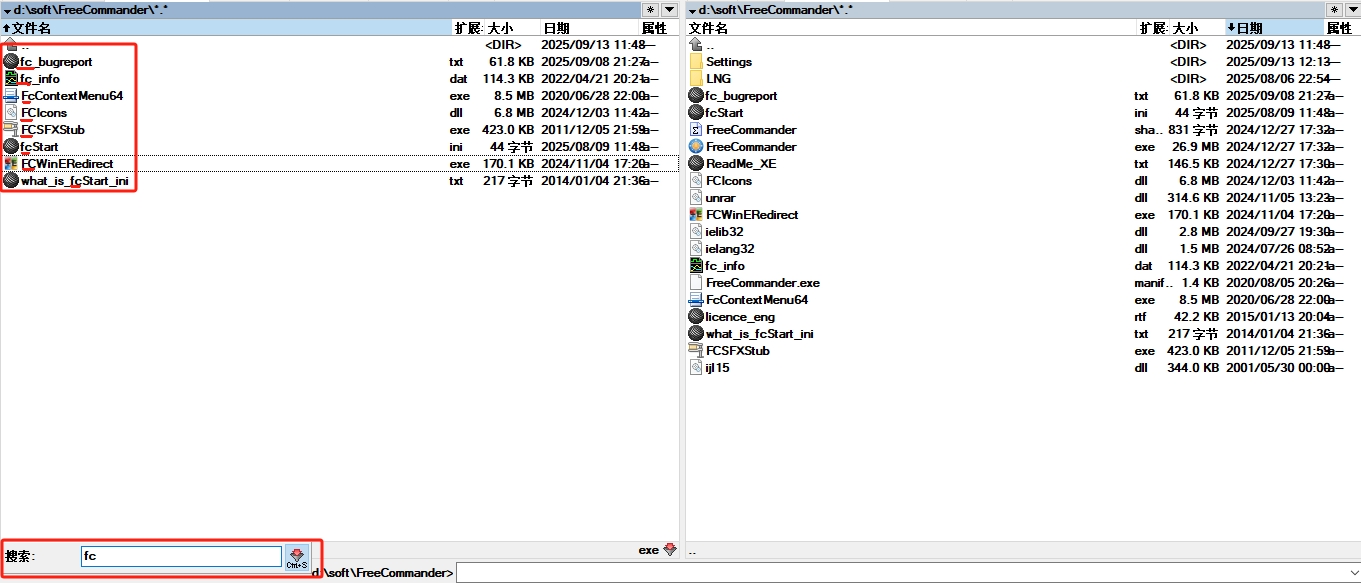
1. in TC, when i type "fc", the files whose name have not "fc" will be hide, after press ESC, all the files will be show again.
Image

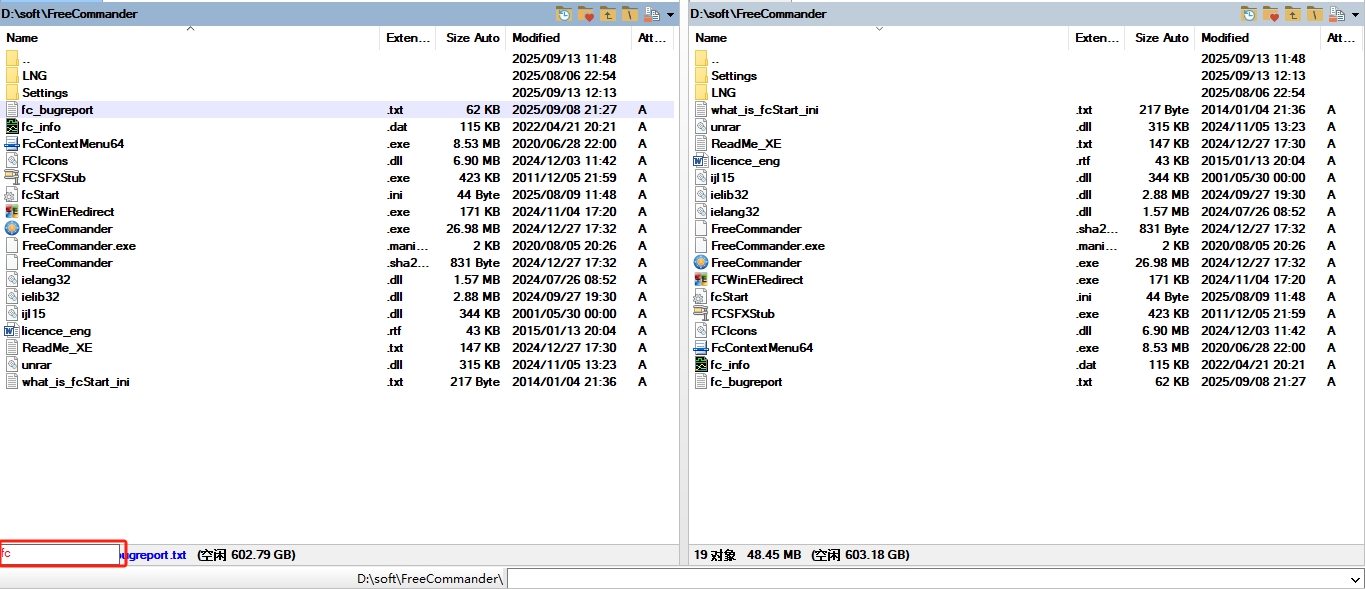
2. but in FC, the quick search will not hide the un-matched file.
Image

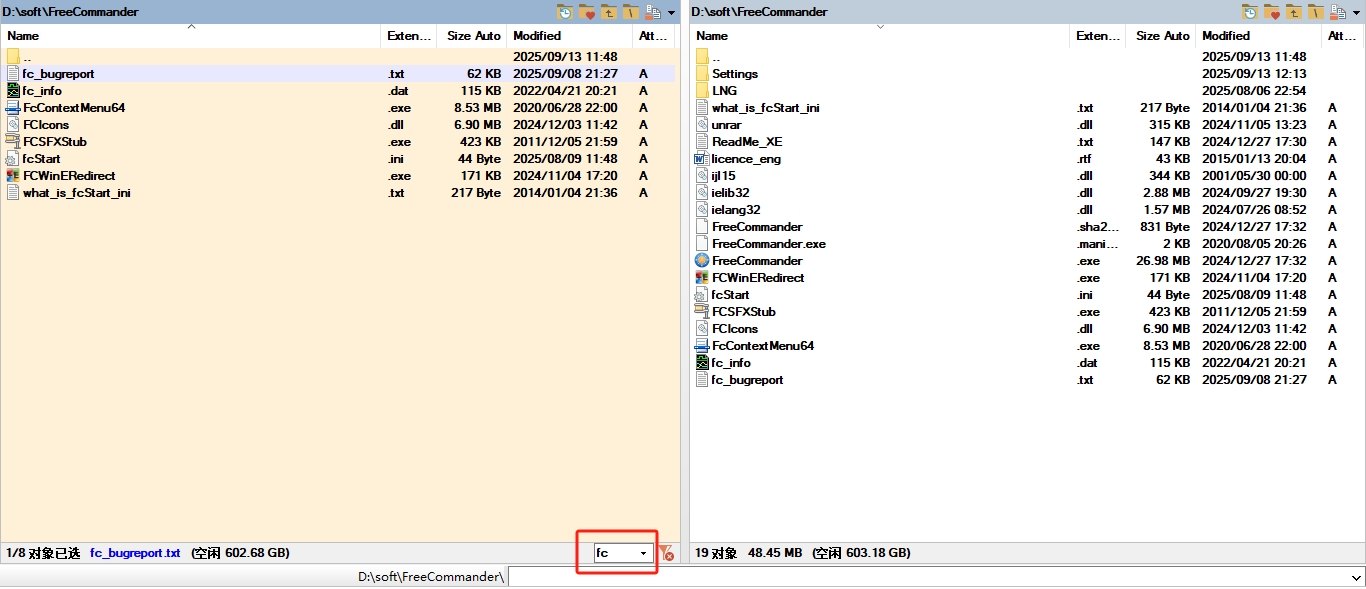
and i know i can press Ctrl+S(I reset the default shortcut from Ctrl+Y to Ctrl+S) to open the Quick filter bar and type "fc" to hide the un-matched file, then press Ctrl+s to close the quick filter bar to show all the files(it seems the ESC cann't close quick filter bar??), but it's a bit complex and not efficient...
Image

below is my setting, any suggestions?

Image
Last edited by guitarbug on 13.09.2025, 14:40, edited 2 times in total.

horst.epp
Posts: 533
Joined: 15.11.2008, 20:18

Re: Can "Quick search" hide the un-matched file

#2 Post by horst.epp » 13.09.2025, 13:59

You will not always find the same function in FC as in TC.

Use the Quick filter fields and Ctrl-Y to remove the filter.
Using Ctrl-Y without an active filter sets the cursor into the filter field.
Not so bad and easy to use.

Btw. I use both FC and TC in parallel, having licenses for both.
Windows 11 Home, Version 25H2 (OS Build 26200.8117)
Everything Version 1.5.0.1408a (x64), Everything Toolbar 2.3.0, Listary Pro 6.3.6.99
FreeCommander XE 2025 Build 946 64-bit donor

User avatar
Dreamer
Site Admin
Posts: 6519
Joined: 19.08.2007, 23:40

Re: Can "Quick search" hide the un-matched file

#3 Post by Dreamer » 13.09.2025, 15:04

Probably you mean the Quick filter, not Quick search.

You can change the option " Hotkey activates filter when field is not empty" in Settings - Quick search/filder/starter - Quick search/Quick filter - Quick filter.

With this option you can easily toggle quick filter, show just filtered files / show all files.

guitarbug
Posts: 4
Joined: 06.09.2025, 12:05

Re: Can "Quick search" hide the un-matched file

#4 Post by guitarbug » 14.09.2025, 04:02

Dreamer wrote: 13.09.2025, 15:04 Probably you mean the Quick filter, not Quick search.

You can change the option " Hotkey activates filter when field is not empty" in Settings - Quick search/filder/starter - Quick search/Quick filter - Quick filter.

With this option you can easily toggle quick filter, show just filtered files / show all files.
Thank you, Dreamer.
if Hotkey activates filter when field is not empty is checked, type something, eg, "fc", then press the hotkey, and the quick filter bar will show and using the existing text "fc" to filter the file(the files whose name have not "fc" will be hide), is it correct?

and if Hotkey activates filter when field is not empty is Not checked, press the hoskey, the quick filter bar will show , type something, eg, "fc", and the quick filter will filter the file(the files whose name have not "fc" will be hide), i think the 2 method is not much different :mrgreen:

User avatar
Dreamer
Site Admin
Posts: 6519
Joined: 19.08.2007, 23:40

Re: Can "Quick search" hide the un-matched file

#5 Post by Dreamer » 15.09.2025, 14:24

Yes, different part is, that with that option activated you can easily toggle any existing filter, so enable and disable, no need for another shortcut.

Post Reply

Who is online

Users browsing this forum: No registered users and 72 guests