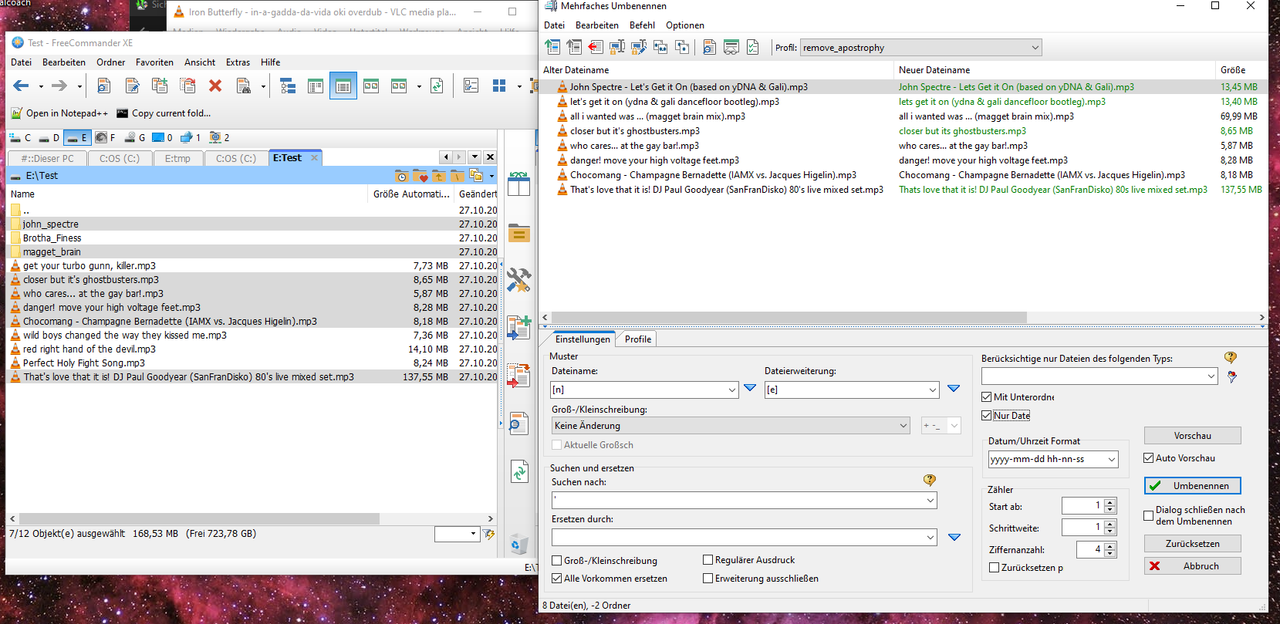
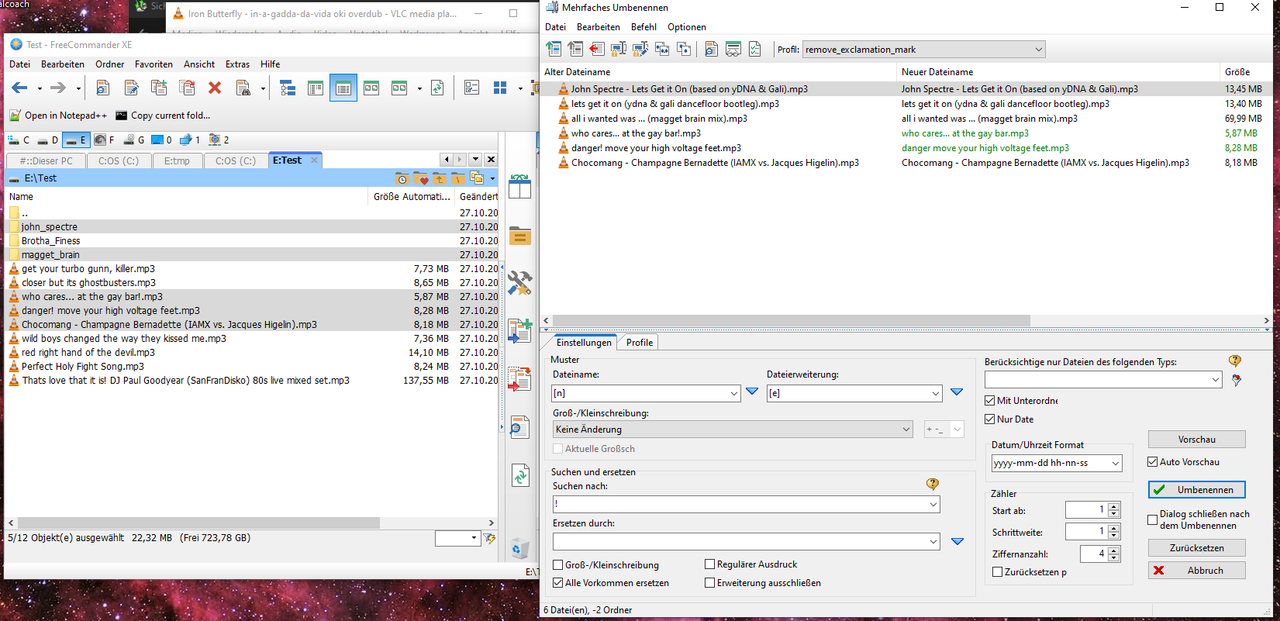
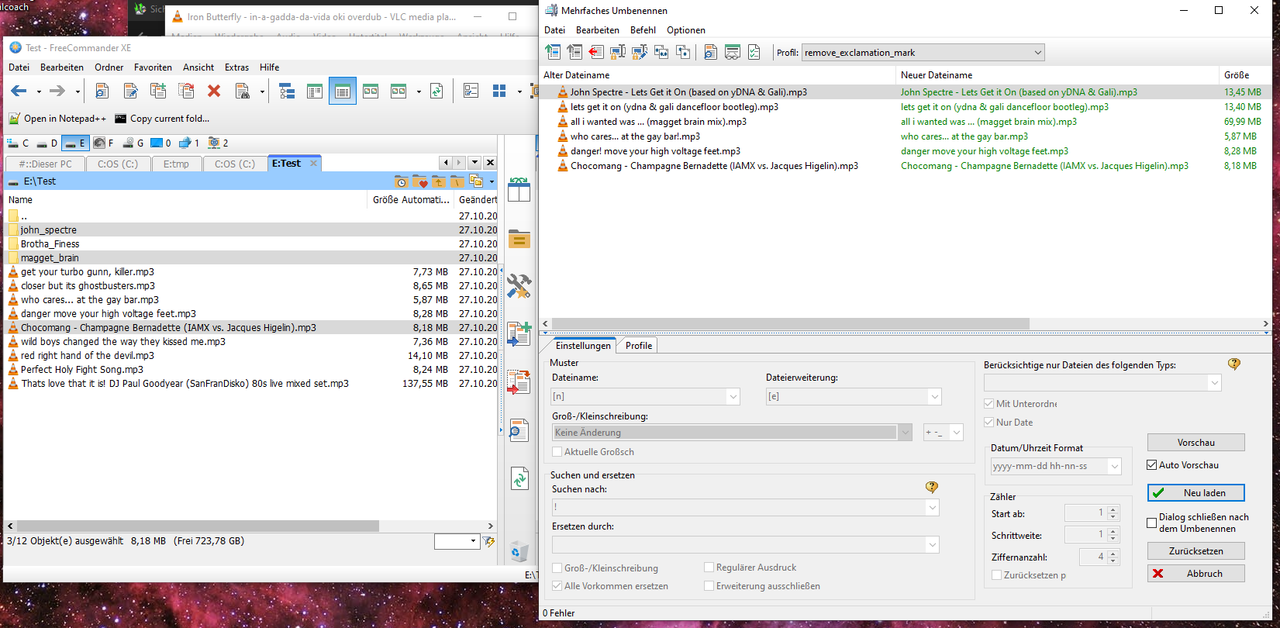
[Fixed] (822) Multi Rename looses/removes files...
Posted: 20.06.2020, 07:15
Select a number of files and folders in a root folder
(number of files and folders doesn't make a difference, also it doesn't make a difference if the folders contain subfolders)
select a preset (Profile:)
select >With subfolders<
select >Only files<
click on >Rename<
click on >Reload<
repeat steps above thereby selecting a different preset
after a number of rename operations, several files are removed from/lost in the file list of the multi rename UI
(there is no recognizable number of operations until files are removed/lost, the issue occurs after any number of operations)
FreeCommander XE 2019 Build 822 64-bit donor
Windows 10 Pro 64-bit Version 1909 Build 18363.900
EDIT: the files lost are in the root folder
(number of files and folders doesn't make a difference, also it doesn't make a difference if the folders contain subfolders)
select a preset (Profile:)
select >With subfolders<
select >Only files<
click on >Rename<
click on >Reload<
repeat steps above thereby selecting a different preset
after a number of rename operations, several files are removed from/lost in the file list of the multi rename UI
(there is no recognizable number of operations until files are removed/lost, the issue occurs after any number of operations)
FreeCommander XE 2019 Build 822 64-bit donor
Windows 10 Pro 64-bit Version 1909 Build 18363.900
EDIT: the files lost are in the root folder